Clinical education
Explain blood-pressure feedback with clinical boundaries

Try this
“Using @BloodPressureGuide, explain the feedback mechanism, measurement sequence, trend reading, and safety boundaries.”

Upload reports, handbooks, papers, and guides to generate explainer videos with narration, visual structure, and a clear sequence for the key pages, facts, and terms.
Clinical education
Try this
“Using @BloodPressureGuide, explain the feedback mechanism, measurement sequence, trend reading, and safety boundaries.”
Illustrative workflow · Clean Infographic
Try this
“Using @Riverford Neighborhood Recycling Guide, turn the source into a clear clean infographic explanation for residents preparing household recycling.”
Illustrative workflow · Side-by-Side Compare
Try this
“Using @Exposure Triangle Course Outline, turn the source into a clear side-by-side compare explanation for course creators and adult photography learners.”
Illustrative workflow · Exploration Journey
Try this
“Using @Northstar Field Service Troubleshooting Playbook, turn the source into a clear exploration journey explanation for field service teams.”
Illustrative workflow · Blueprint Breakdown
Try this
“Using @Atlas Scheduler v3 Architecture and Release Guide, turn the source into a clear blueprint breakdown explanation for developers and technical communicators.”
Illustrative workflow · Control Room Overview
Try this
“Using @Northstar Service Degradation Triage and Handoff Runbook, turn the source into a clear control room overview explanation for IT operations teams.”
Illustrative workflow · Assembly Sequence
Try this
“Using @Northforge Packaging Line Changeover Checklist, turn the source into a clear assembly sequence explanation for manufacturing operators.”
Illustrative workflow · Real Object Explainer
Try this
“Using @Clearstream Water Filter Cartridge Replacement Manual, turn the source into a clear real object explainer explanation for household equipment users.”
Illustrative workflow · Policy Briefing
Try this
“Using @Harborline Data Retention and Access Request Policy Update, turn the source into a clear policy briefing explanation for teams handling internal records.”
Illustrative workflow · Flowchart
Try this
“Using @Northforge Warehouse Receiving Exception Handoff, turn the source into a clear flowchart explanation for warehouse safety and quality teams.”
Illustrative workflow · Lab Notebook
Try this
“Using @Helios Indoor Air Sensor Study Summary, turn the source into a clear lab notebook explanation for researchers, educators and facilities teams.”
Illustrative workflow · Motion Graphics
Try this
“Using @Orbit First Useful Outcome Guide, turn the source into a clear motion graphics explanation for product and customer education teams.”
Illustrative workflow · Editorial Exhibition
Try this
“Using @City Science Night Brief and Agenda, turn the source into a clear editorial exhibition explanation for event and community communications teams.”
Illustrative workflow · Gentle Picture Book
Try this
“Using @Community Food Drive Volunteer Briefing, turn the source into a clear gentle picture book explanation for faith communities and volunteer coordinators.”
Illustrative workflow · Card Stack Explainer
Try this
“Using @Customer Support Escalation Learning Design Brief, turn the source into a clear card stack explainer explanation for instructional designers.”
Bring expert knowledge closer to everyone
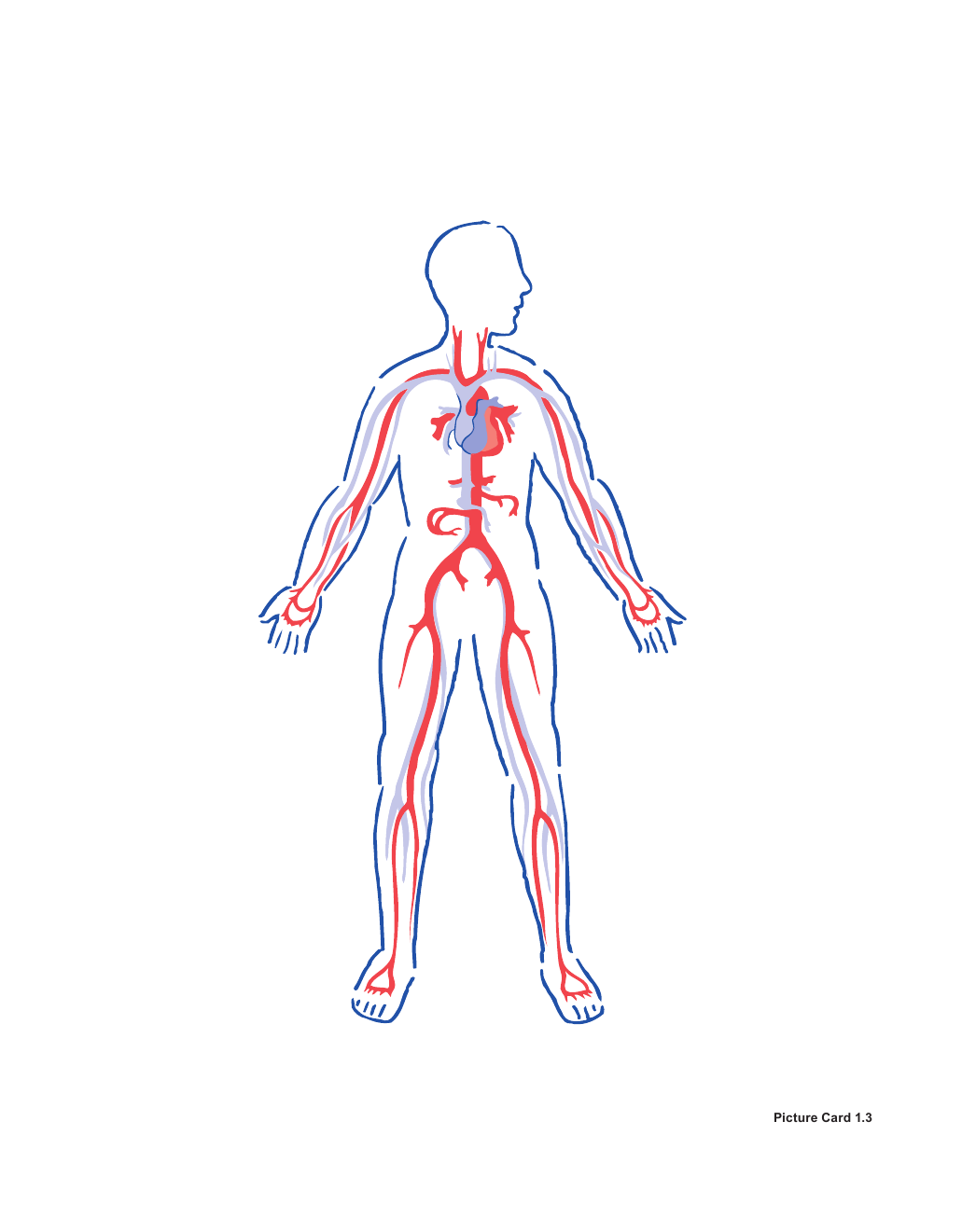
Try this
“Using @HeartFlow, explain how blood flows through the heart in the correct order.”
Give new hires direction from day one

Try this
“Using @OnboardingGuide, build a first-week guide covering tasks, security, and team workflow.”
You need people to understand the point behind a report before a meeting, not just receive the attachment.
You want one difficult paper or guide to become a sequence a learner can pause, revisit, and discuss.
Prepare your documents
Turn a report, handbook, research PDF, or public guide into a question-led explainer video with KPainter.
A focused path
Say who is watching and which decision, concept, or next step the PDF should make clearer.
Add the current source and name the sections, terms, figures, or steps that the explanation must preserve.
Compare the finished story with the source pages people will rely on, especially figures, dates, labels, and required wording.
Useful next step
Turn one focused document chapter into a followable video guide
Use this guide to decide when a PDF should become a visual explainer and when a narrated slide sequence is the clearer choice.
Use this resource Guides and templatesPrepare PDFs, Word files, URLs, images, and supporting data so an explainer video has the right source, audience, and visual evidence.
Use this resource Word document workflowA source-first method and copyable brief for turning one Word document chapter, procedure, or report into a clear explainer video.
Use this resource Source-backed caseSee how a water-filter replacement manual becomes a reassuring homeowner video guide with parts, steps, and a final check.
Read case design Source-backed caseSee how a field-service troubleshooting playbook becomes a practical video walkthrough with a clear escalation handoff.
Read case designA PDF can support a decision, a procedure, or a concept explanation. Start with the viewer’s question instead of asking the video to reproduce every page.
Best for reports, proposals, and updates that need one clear takeaway before a discussion.
Lead with the question, show the few figures or comparisons that answer it, and finish with the decision or next discussion point.
Best for a handbook, guide, or manual when someone needs to recognise the steps and checks in order.
Choose one task, show the condition before each action, and keep the current PDF available for full specifications and exceptions.
Best for papers and dense reference material when a learner needs to see the relationship behind the terminology.
Use diagrams, comparisons, or a sequence to make one relationship visible before naming the conclusion.