Clinical education
Explain blood-pressure feedback with clinical boundaries

Try this
“Using @BloodPressureGuide, explain the feedback mechanism, measurement sequence, trend reading, and safety boundaries.”

Upload syllabi, lesson plans, textbook chapters, research papers, slide decks, and practice sets to generate course videos with narration, visual examples, a clear learning sequence, and runtimes up to 30 minutes.
Clinical education
Try this
“Using @BloodPressureGuide, explain the feedback mechanism, measurement sequence, trend reading, and safety boundaries.”
Course lesson

Try this
“Using @UrbanHeatDeck, turn the slide sequence into a replayable lesson and label illustrative chart values clearly.”
Illustrative workflow · Side-by-Side Compare
Try this
“Using @Exposure Triangle Course Outline, turn the source into a clear side-by-side compare explanation for course creators and adult photography learners.”
Illustrative workflow · Card Stack Explainer
Try this
“Using @Customer Support Escalation Learning Design Brief, turn the source into a clear card stack explainer explanation for instructional designers.”
Make abstract ideas visible
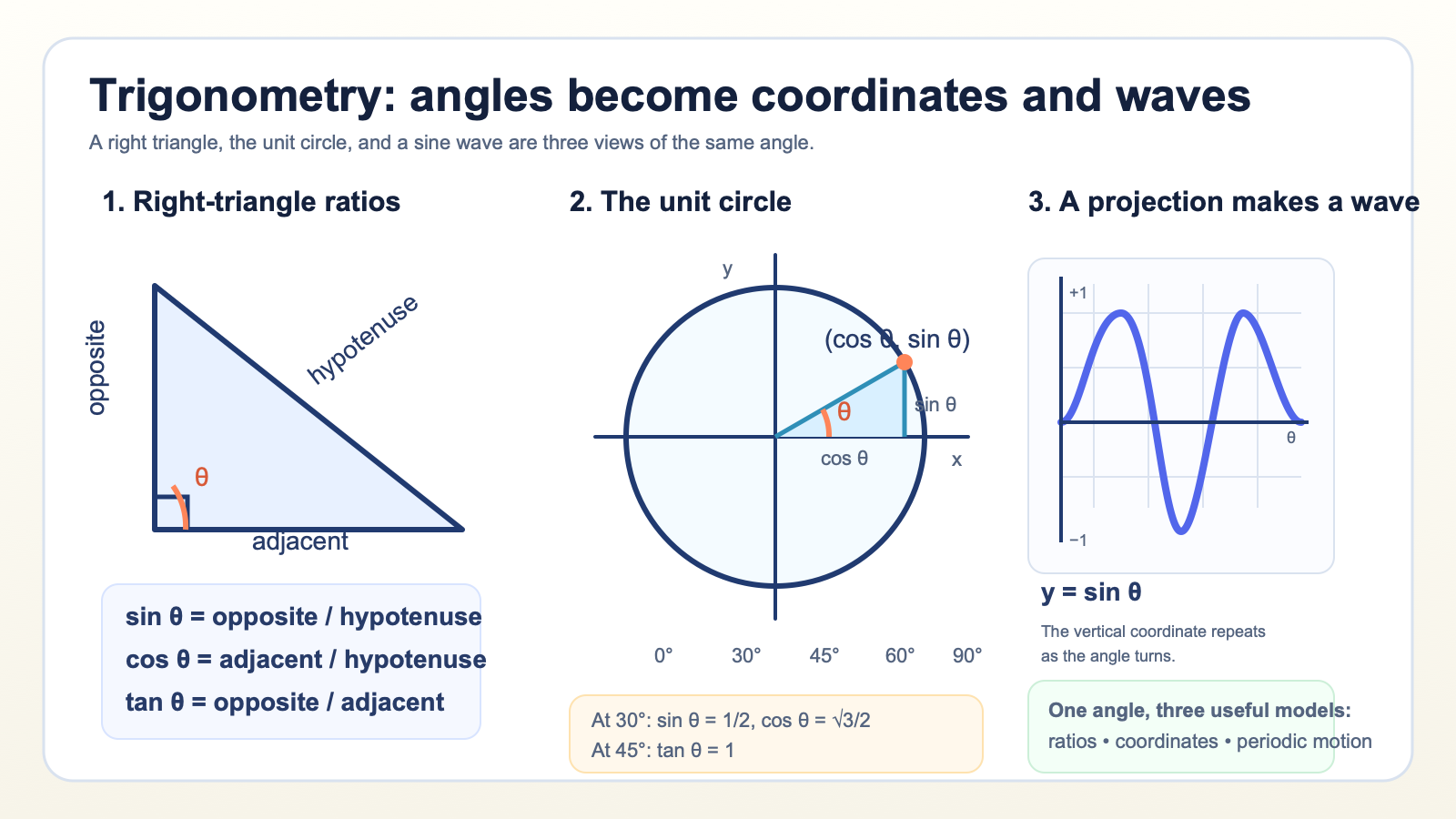
Try this
“Using @Trigonometry, connect the right triangle, unit circle, and sine wave.”
Bring expert knowledge closer to everyone
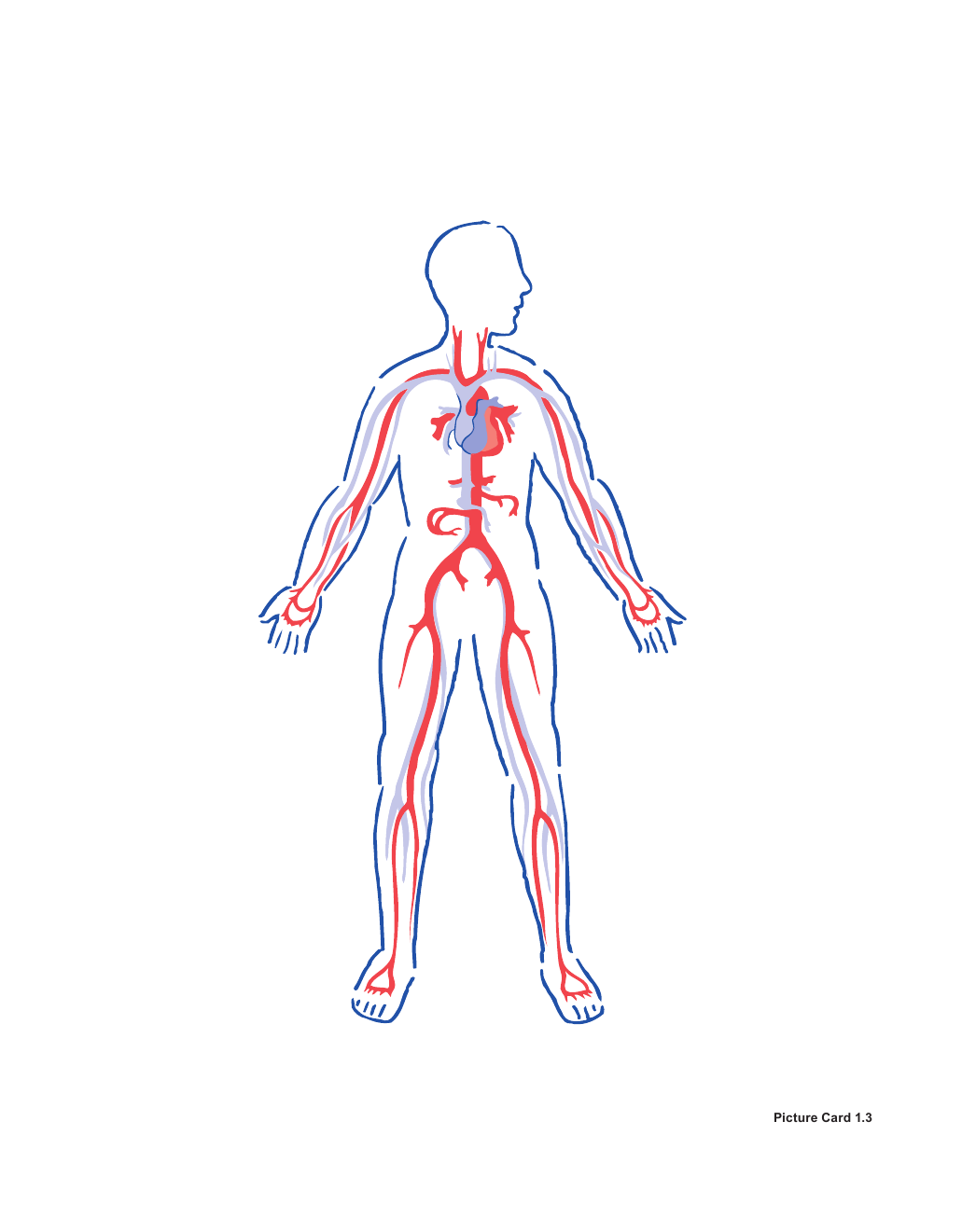
Try this
“Using @HeartFlow, explain how blood flows through the heart in the correct order.”
You want a difficult concept to click in class, after class, or during revision—without rebuilding the same visual explanation every time.
You have an outline and teaching notes, and want to turn them into lessons people can follow, finish, and return to.
You need a cohort to revisit the same core idea before class, after class, or when it matters at work.
Prepare your documents
Use KPainter to turn syllabi, lesson plans, textbooks, slides, and teaching notes into structured course videos and learning modules.
A focused path
Start with the concept, skill, or chapter learners need to master.
Bring in the syllabus, chapter, plan, diagram, or notes that already set the scope.
Make the relationships visible so the learner can follow each step into the next.
Useful next step
Turn a PPT or PowerPoint deck into a viewer-led explanation
Use this decision guide to choose between turning a PPT into an explainer video and recording a live walkthrough.
Use this resource Templates and checklistsA copyable storyboard template for turning a PowerPoint presentation into a clear, audience-led explainer video.
Use this resource PPT and training workflowA practical outline for turning a PowerPoint deck into a focused training video that explains one repeatable task or decision.
Use this resource Source-backed caseSee how an exposure-triangle course outline becomes a visual lesson that compares aperture, shutter speed, and ISO.
Read case design Source-backed caseSee how a science-night agenda becomes an event video that introduces the theme, programme flow, and reason to attend.
Read case designChoose the tool around the learner’s next job. KPainter creates lesson media and companion learning experiences; course operations remain in the platform you use to run the course.
Use when learners need a clear explanation they can pause, replay, and revisit.
Start from a syllabus, lesson plan, chapter, diagram, or practice set, then define the learner level and one outcome for the lesson.
Use when the learner also needs to practise, test a choice, or explore a relationship.
Create a companion lesson, quiz, simulator, or learning app from the same source documents instead of trying to place every interaction inside the video.
Use for enrollment, delivery rules, learner progress, grading, certificates, payments, or course sales.
KPainter creates the lesson content; it does not replace the system that operates, sells, or administers the complete course.